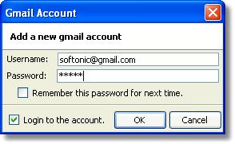
 One Firefox plugin I’ve come to rely on is Gmail Manager Add-On for Firefox. This free plugin allows you to monitor as many Gmail accounts as you want in the Firefox status bar. It never worked perfectly – sometimes new mail wouldn’t register properly for example – but now unfortunately it seems to have stopped working completely.
The inbox counts don’t work at all and clicking on an account simply takes you to the Gmail login page instead of your inbox. According to one blogger, this is due to a security update in Firefox 3 which blocks the plugin and may have affected other Gmail plugins as well.
The only answer is to downgrade to Firefox 2 but that’s not exactly ideal. If like me, you’re lamenting the loss of a trusty Gmail add-on, here are some functioning alternatives to try.
Gmail Notifier Designed by Google, Gmail Notifier is all you need if you just need to check one account. It displays an icon in your system tray to let you know if you have unread Gmail messages, and shows you their subjects, senders and snippets, all without your having to open a web browser. A Mac version is also available. Note that it doesn’t work if you’ve got the Google Toolbar installed which leads me onto…
Google Toolbar This is worth installing for several reasons of which one of them is the Gmail checker. It isn’t very sophisticated however. An open envelope notifies you when you’ve received new mail and clicking on the drop down arrow next to it reveals all the subject headings of mail in your inbox. Clicking on any one of them, or the envelope itself, takes you to your inbox. Shame their is no inbox count reading or customizable sounds for when new mail arrives though.
 Gmail Notifr A Mac only extension which sits in your Menu bar and supports multiple accounts. Gmail Notfr displays in digits how many e-mails you have waiting for you. It conveniently supports Growl alerts and doesn’t install any daemon background processes unlike Google’s Gmail Notifier. However, you can’t define how frequently you want it to check for mail (so it might be a bit slow at notifying you of new mail).
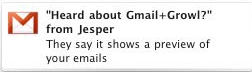 Gmail+Growl This works with Gmail Notifier and as the name suggests, is a very simple plugin for Mac users that uses Growl alerts to notify you of new Gmail. Unfortunately, it only supports single accounts but the great thing about using Growl is that you can customize the alerts.
GmailAssistant A third party Windows only application which supports multiple accounts. If you want a Gmail checker that’s completely independent of your browser on Windows, then this is a good choice although the configuration is very limited. You can’t define the frequency you want it to check for new mail or save your preferences for each account.