Twitter has had a major re-design, so I thought it would be a good opportunity to explain the changes.
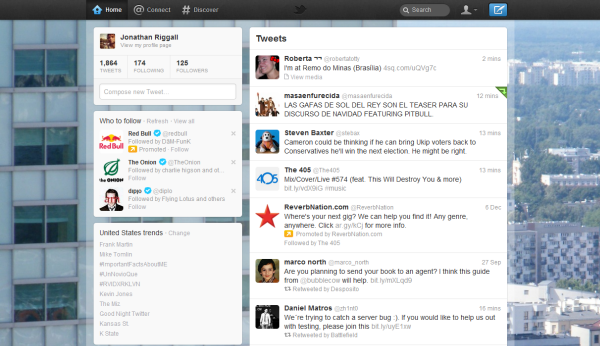
The new Home
When you log in to Twitter, the first thing you’ll notice is the feed and info bars columns have been swapped round. Otherwise it’s business as usual. What has changed are the buttons at the top. We have Home, Connect and Discover.
Connect

The obtusely named ‘Connect’ is where you will find ‘Interactions’ and ‘Mentions’. Interactions shows you recent followers, plus a feed of people who mentioned you or re-tweeted you. Mentions strips this back to simply any tweet with your Twitter name in it.
Discover

This is the world of the # (hashtag). It’s Twitter’s news center, collecting the stories people are talking about on Twitter. What you see will change depending on the region you choose for Trends, although this doesn’t feel quite finished yet (if you’re outside the US, Discover will currently look very US centric). More personalization and speed are needed.
The Me button
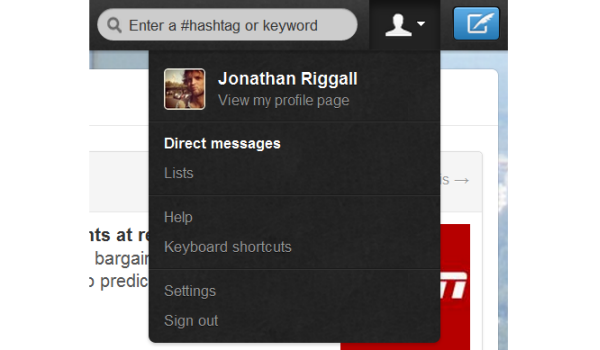
Over on the right, there’s the symbolic ‘Me’ button. This opens a drop-down menu, where you’ll find your Direct Messages and Lists, plus settings etc. Hiding DMs and Lists here makes me think these are increasingly unpopular, and with DMs I’m not surprised at all.
Overall impressions
Change is hard to deal with, as Justin Bieber pointed out on Twitter, but I think the redesign is sensible. Keeping the home basically unchanged is right, and I like the Connect page, although I think the separate Mentions and Interactions are unnecessary. The Discover page is an interesting development, but I’ll have to wait and see if it becomes something I check like my my Twitter feed for news stories. The aggregated approach based on trends makes Discover seems slow – it’s still the individual users that I follow where I’ll see news break before it has trended.
Twitter has rolled out these changes everywhere, so there are new mobile apps, and an updated TweetDeck too. What do you think of the changes?